

High frequency recommended vocabulary
ECSS-E-ST-20-07C is the European Cooperation for Space Standardization document that establishes the electromagnetic compatibility requirements and tests for space systems, and it applies to the spacecraft, its payload and the equipment installed in it. Space presents a set of conditions that terrestrial standards do not cover. There is no supply network to disturb and no earth to return current to, so a satellite behaves as a small floating structure in which every unit shares the same reference and in which the natural capacitance to the environment is negligible; the available power is strictly limited and the harness is short and often closely bundled, so conducted and radiated coupling between assemblies is intense; and once the vehicle is launched nothing can be repaired, which places the whole emphasis on verification before launch. The standard addresses emission and susceptibility on power and signal interfaces, the grounding and bonding architecture of the spacecraft, the shielding of units and harnesses, and the specific environment created by the plasma of the ionosphere and by electrostatic charging.
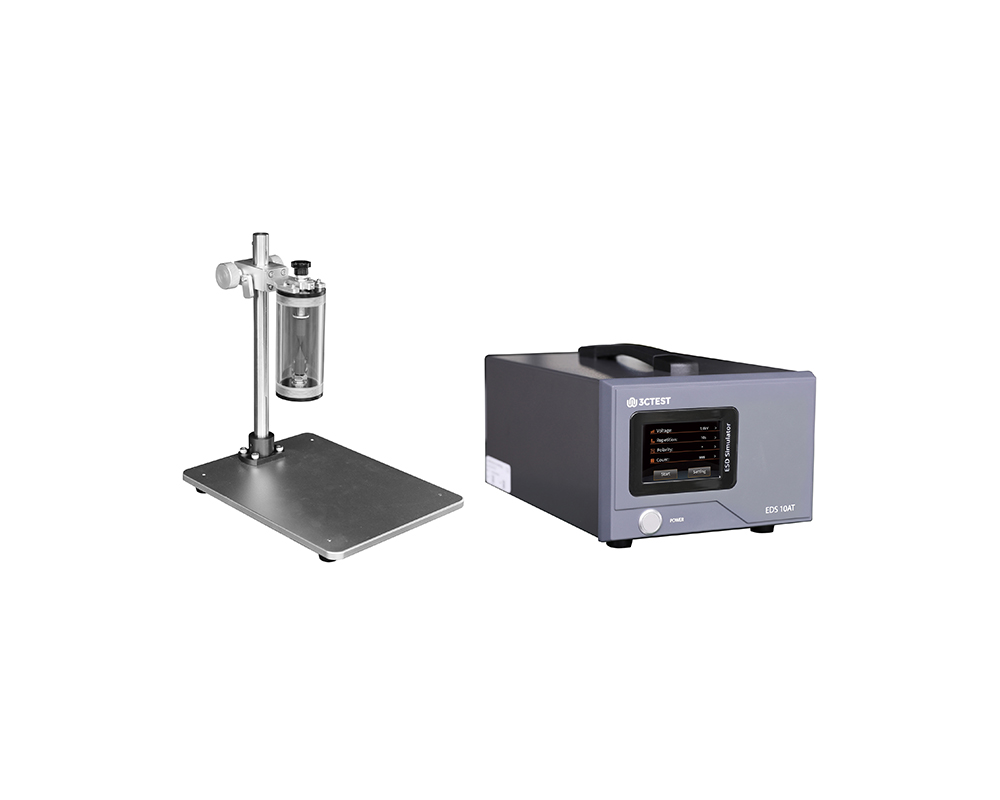
The EDS 10AT electrostatic discharge simulator is a newly launched product by 3CTEST.

• Using the product inquiry function can help you quickly learn about the product's price and other related information.
• You can either inquire about a single product directly, or select multiple products to add to the inquiry bar and inquire about them together.
• How to make an inquiry





1. Using the product comparison function can help you find the target product you need for selection more quickly and easily.
2. You can add up to 5 products for comparison. Product models and parameters may vary across different series. It is recommended to compare products within the same series.
3. How to use the comparison bar.




 Phone: +86-512-68413700
 Email: info@3ctest.cn
 Address:No.99 E'meishan Rd, SND, Suzhou, Jiangsu, 215153, China,Suzhou, Jiangsu, 215153, China



© 2025 Suzhou 3CTEST


 Leave a Message


