

High frequency recommended vocabulary
MIL-STD-464D is the current revision of the United States military standard for electromagnetic environmental effects requirements at system level, superseding the previous edition. It retains the structure of its predecessor, in which the requirement is placed on the platform rather than on the equipment, and in which the verification is achieved through a combination of analysis, modelling and test agreed with the procuring authority. Programmes applying it must identify the electromagnetic environments the platform will meet, the safety margins to be preserved between emissions and susceptibilities, the hazards to personnel, fuel and ordnance, and the effects of lightning, nuclear electromagnetic pulse and high intensity radiated fields, and must then demonstrate compliance through a verification plan whose content, evidence and acceptance criteria are negotiated rather than prescribed in detail. For a supplier the practical consequence is that the applicable revision and the agreed verification approach should be confirmed at the beginning of a programme.
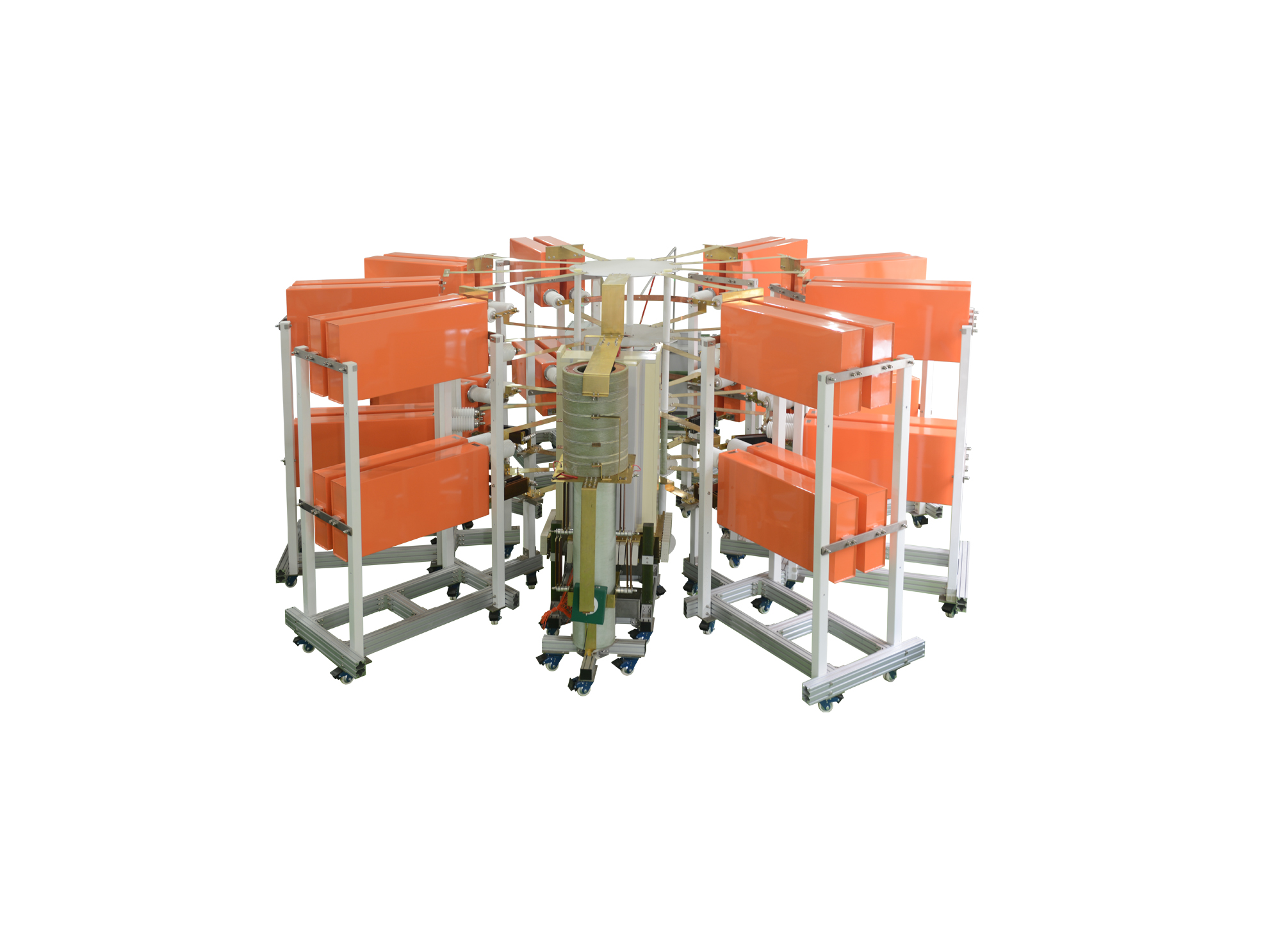
I类雷电电流试验系统可产生200kA的I类10/350us直接雷电波形和300kA的II类8/20us间接雷电波形,同时本套系统可通过不同的调波模块可以调试出满足航空标准及军用标准的直接雷电电流波形中的A分量和D分量,同时可扩展更多的其他波形

• Using the product inquiry function can help you quickly learn about the product's price and other related information.
• You can either inquire about a single product directly, or select multiple products to add to the inquiry bar and inquire about them together.
• How to make an inquiry





1. Using the product comparison function can help you find the target product you need for selection more quickly and easily.
2. You can add up to 5 products for comparison. Product models and parameters may vary across different series. It is recommended to compare products within the same series.
3. How to use the comparison bar.




 Phone: +86-512-68413700
 Email: info@3ctest.cn
 Address:No.99 E'meishan Rd, SND, Suzhou, Jiangsu, 215153, China,Suzhou, Jiangsu, 215153, China



© 2025 Suzhou 3CTEST


 Leave a Message


