

High frequency recommended vocabulary

GB/T 16896.2 is the second part of the Chinese standard for digital recorders in high-voltage impulse tests and deals with the practical application of the instrument to impulse voltage measurement. Where the first part defines what the recorder must be capable of, this part defines what must be done with it. It specifies the recording window that must be used for a full lightning impulse and for a switching impulse, the number of samples that the record must contain, the way the base line and the waveform parameters are determined from the recorded data, and the smoothing and filtering operations that may be applied before the parameters are evaluated. It also addresses the evaluation of the virtual front time, the time to half value and the peak value from a digitised record, the treatment of superimposed oscillation on the waveform, and the way the uncertainty of the recorder combines with the uncertainty of the divider and the test circuit to give the overall uncertainty of the measurement.
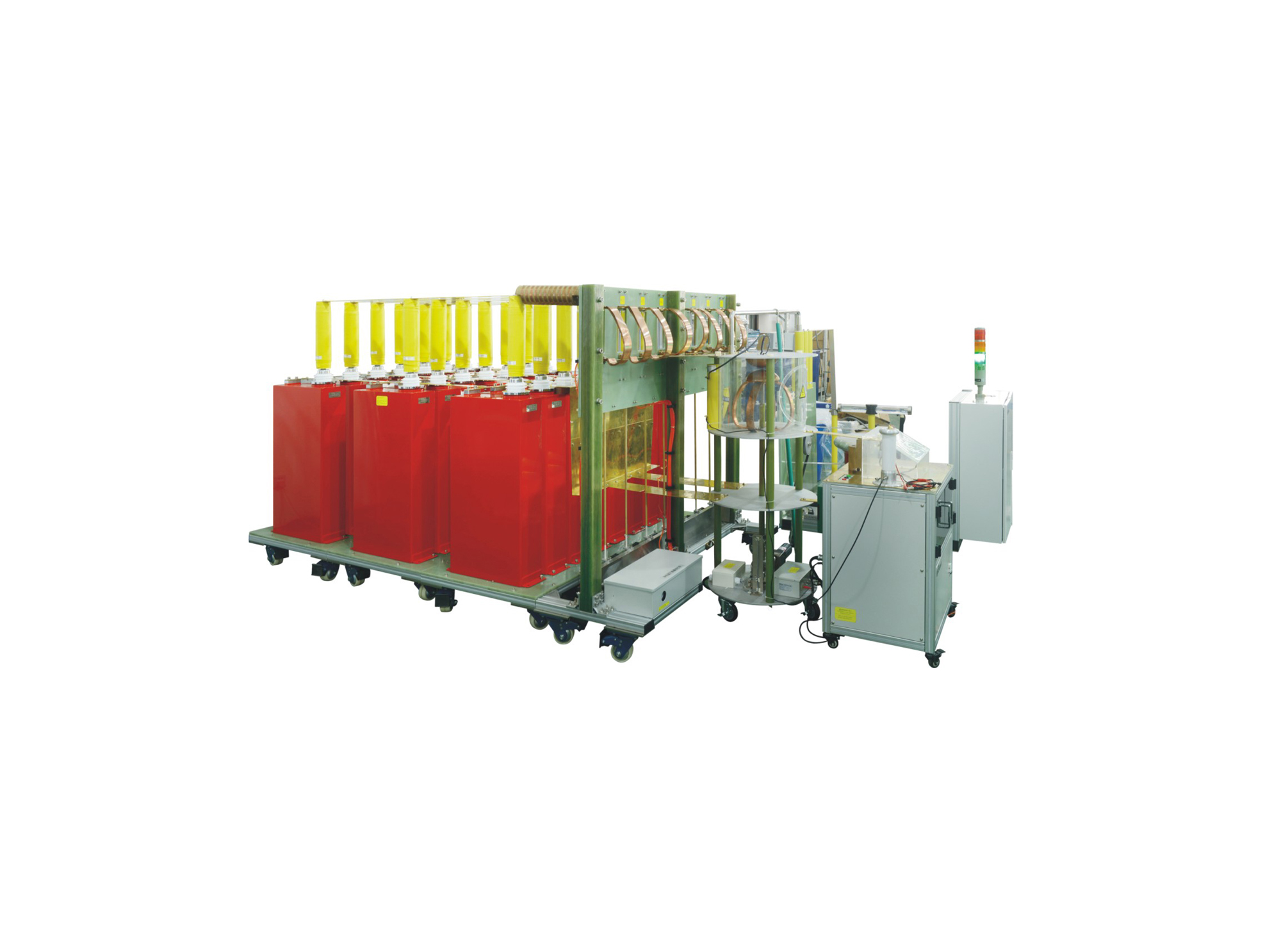
LCG 50A系列冲击电流发生器测试系统,具有系统集成度高、控制智能化,操作简便等优点。本产品通过不同主回路单元的组合,将设备输出分为多个等级,实现拓宽输出范围的测试能力。
• Using the product inquiry function can help you quickly learn about the product's price and other related information.
• You can either inquire about a single product directly, or select multiple products to add to the inquiry bar and inquire about them together.
• How to make an inquiry





1. Using the product comparison function can help you find the target product you need for selection more quickly and easily.
2. You can add up to 5 products for comparison. Product models and parameters may vary across different series. It is recommended to compare products within the same series.
3. How to use the comparison bar.




 Phone: +86-512-68413700
 Email: info@3ctest.cn
 Address:No.99 E'meishan Rd, SND, Suzhou, Jiangsu, 215153, China,Suzhou, Jiangsu, 215153, China



© 2025 Suzhou 3CTEST


 Leave a Message


