

High frequency recommended vocabulary

MES PW67602 is a Mazda engineering standard applying to components, and the designator reflects the way the manufacturer organises its documents: the letters identify an engineering standard, the letters after them identify the discipline or the system group, and the number identifies the individual requirement within it. Japanese vehicle manufacturers have historically written their component requirements in close co-ordination with the suppliers who make the parts, so a requirement of this kind is often developed jointly with a tier one supplier and its wording reflects the test facilities that the supply base actually has. In practice the standard states the disturbance a component must tolerate and the disturbance it may emit at a given mounting position, and the applicable test methods are those of the manufacturer or, where the manufacturer so provides, the corresponding methods of the Japanese industry standards.
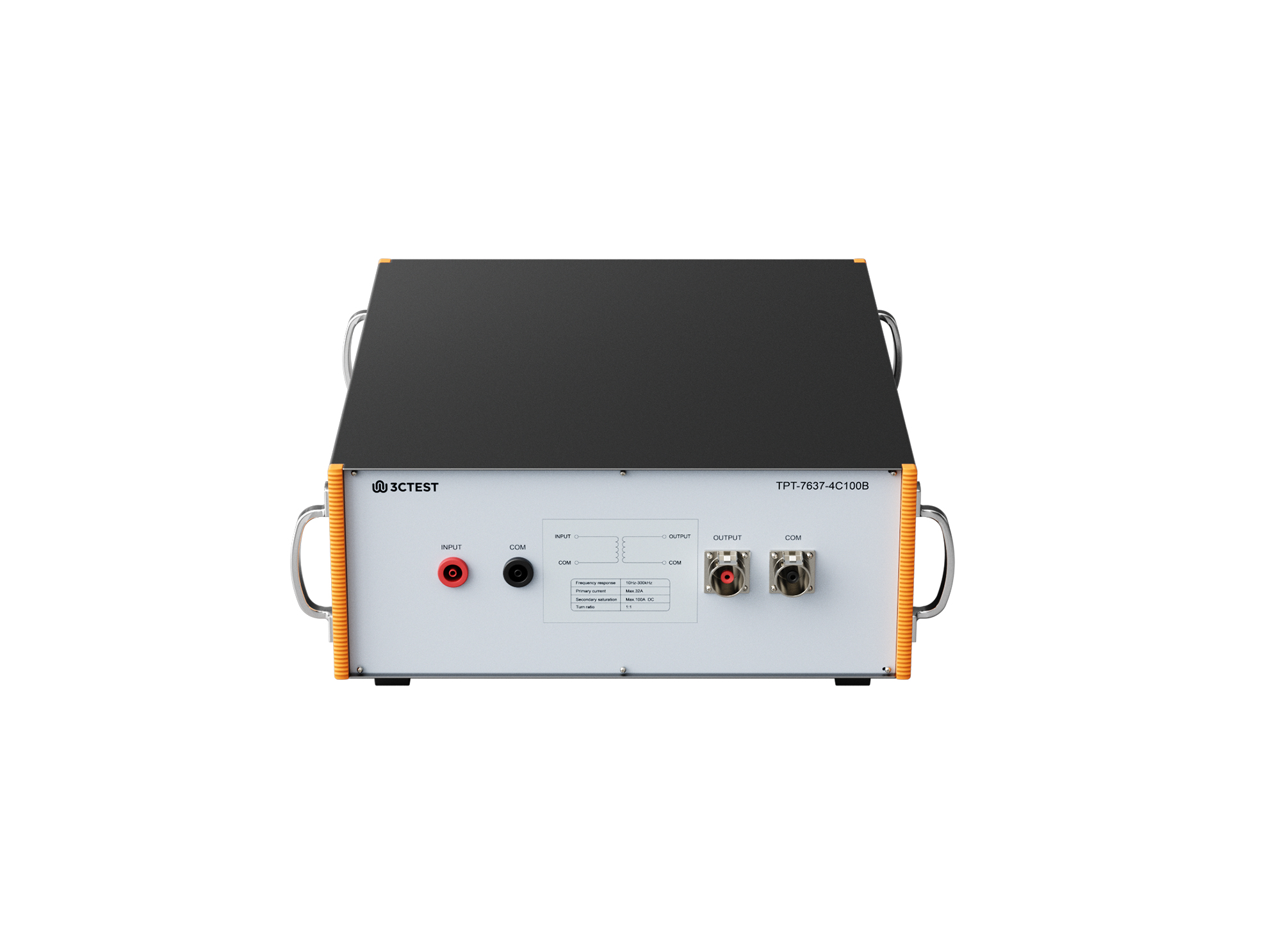
The TPT-7637-4C100B coupling transformer is a broadband coupling transformer specifically designed for the Low-Frequency Sinusoidal Disturbance Pulse B transient immunity test defined in ISO 7637.
• Using the product inquiry function can help you quickly learn about the product's price and other related information.
• You can either inquire about a single product directly, or select multiple products to add to the inquiry bar and inquire about them together.
• How to make an inquiry





1. Using the product comparison function can help you find the target product you need for selection more quickly and easily.
2. You can add up to 5 products for comparison. Product models and parameters may vary across different series. It is recommended to compare products within the same series.
3. How to use the comparison bar.




 Phone: +86-512-68413700
 Email: info@3ctest.cn
 Address:No.99 E'meishan Rd, SND, Suzhou, Jiangsu, 215153, China,Suzhou, Jiangsu, 215153, China



© 2025 Suzhou 3CTEST


 Leave a Message


