

High frequency recommended vocabulary

IEC 61851-21 specifies the requirements that the electric vehicle side of a conductive charging system must satisfy. It addresses the equipment installed in the vehicle, principally the on-board charger and the vehicle inlet together with their control electronics, and it defines what the vehicle must do in order to be safely connected to an external supply. The document covers the electrical requirements of the connection, the signalling and control functions that must be implemented on the vehicle, and the protection against electric shock that applies when the vehicle is connected to the mains. A substantial part of the standard deals with electromagnetic compatibility. Charging an electric vehicle creates a demanding EMC situation: the on-board charger is a high-power switching converter operating while connected to the public supply, and the connecting cable behaves as an antenna. The standard therefore defines emission limits for the charging equipment in operation and immunity requirements for the charging function, and it specifies the conditions under which the vehicle must be tested so that the measurements are representative of real charging.
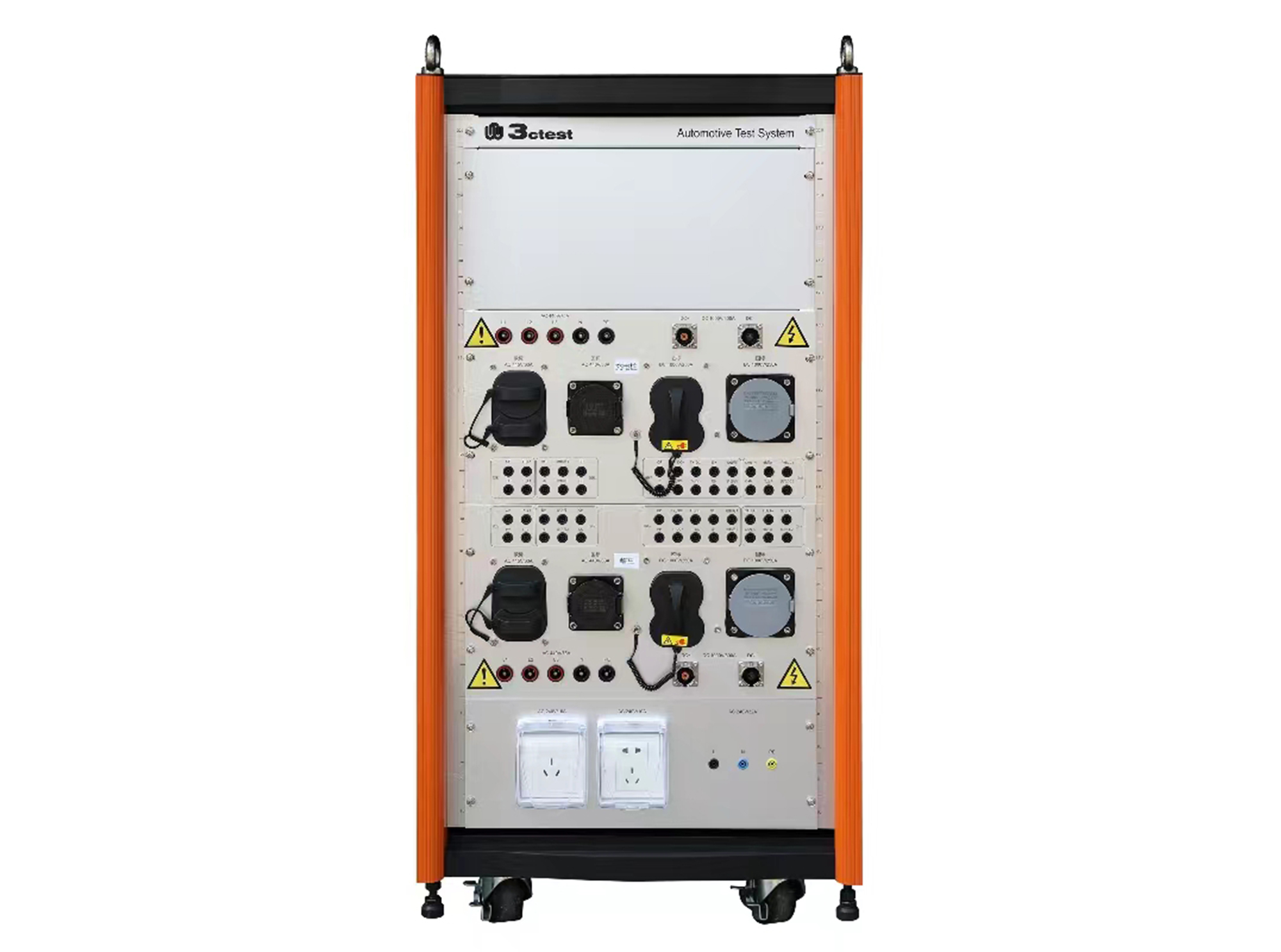
The SWT-1 charging station adapter box complies with IEC 62196-1/-2/-3 and IEC 61851-1/-21/-22 and is an interface conversion device specially developed for EMC immunity testing.
• Using the product inquiry function can help you quickly learn about the product's price and other related information.
• You can either inquire about a single product directly, or select multiple products to add to the inquiry bar and inquire about them together.
• How to make an inquiry





1. Using the product comparison function can help you find the target product you need for selection more quickly and easily.
2. You can add up to 5 products for comparison. Product models and parameters may vary across different series. It is recommended to compare products within the same series.
3. How to use the comparison bar.




 Phone: +86-512-68413700
 Email: info@3ctest.cn
 Address:No.99 E'meishan Rd, SND, Suzhou, Jiangsu, 215153, China,Suzhou, Jiangsu, 215153, China



© 2025 Suzhou 3CTEST


 Leave a Message


