

High frequency recommended vocabulary

IEC 61851-22 specified the requirements for the a.c. electric vehicle charging station, the equipment sometimes known as a wallbox or a charging post that supplies alternating current to a vehicle for on-board charging. It defined the functions that the station must perform, the characteristics of its output under normal and fault conditions, the protection it must provide against electric shock and overcurrent, and the environmental and mechanical requirements applicable to equipment installed outdoors or in car parks, and it described the type tests by which compliance was demonstrated. The document has since been withdrawn; the requirements for a.c. charging stations have been incorporated into the general part of the conductive charging system series and into the harmonised product standards that now cover the supply equipment directly. A page retained for this part is therefore useful mainly as a record of legacy projects and of equipment approved under the earlier structure, and it should be marked as withdrawn with a clear pointer to the standards that now apply.
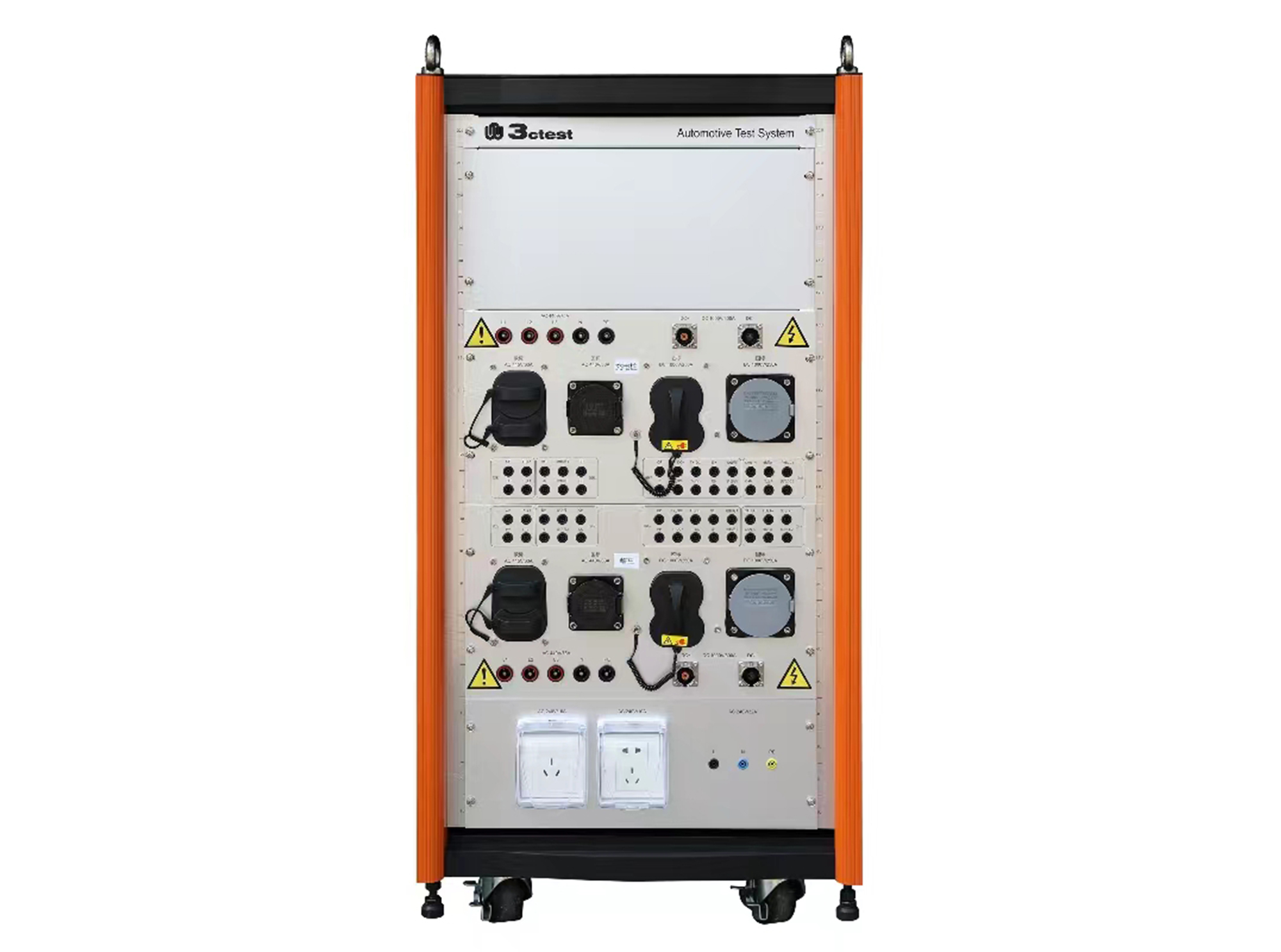
The SWT-1 charging station adapter box complies with IEC 62196-1/-2/-3 and IEC 61851-1/-21/-22 and is an interface conversion device specially developed for EMC immunity testing.
• Using the product inquiry function can help you quickly learn about the product's price and other related information.
• You can either inquire about a single product directly, or select multiple products to add to the inquiry bar and inquire about them together.
• How to make an inquiry





1. Using the product comparison function can help you find the target product you need for selection more quickly and easily.
2. You can add up to 5 products for comparison. Product models and parameters may vary across different series. It is recommended to compare products within the same series.
3. How to use the comparison bar.




 Phone: +86-512-68413700
 Email: info@3ctest.cn
 Address:No.99 E'meishan Rd, SND, Suzhou, Jiangsu, 215153, China,Suzhou, Jiangsu, 215153, China



© 2025 Suzhou 3CTEST


 Leave a Message


